REVIEW · DUBLIN
WiFicandy Portable WiFi Rental with Unlimited Data
Book on Viator →Operated by WiFicandy · Bookable on Viator
Portable Wi‑Fi can save your trip.
This one starts right at Dublin Airport, so you can land, pick it up, and get online fast instead of hunting for a SIM card. I also like the practical promise of a battery that lasts up to 12 hours, which matters on travel days.
The best part is the freedom: unlimited data across Ireland, the UK, and Europe, plus the ability to connect up to 8 users on one hotspot for shared plans. One possible consideration is that a small number of cases report the device connecting to Wi‑Fi but not delivering internet, so you’ll want to test it as soon as you receive it and be ready to contact support if it fails.
Why This Pocket Wi‑Fi Rental Works in Real Life
- Dublin Airport pickup point at Spar, Corballis means less waiting and fewer moving parts when you arrive.
- Unlimited data across Ireland, the UK, and Europe helps you avoid data-limit math while hopping around.
- Up to 8 devices makes it easy to share with family or a group without each person paying separately.
- Battery up to 12 hours is built for day-to-day use, especially if you charge overnight.
- Mobile ticket delivery keeps the process simple when you’re traveling light.
In This Review
- Dublin Airport Pickup: Fast Online Start, Less Stress on Arrival
- What that means for you
- A small mindset shift
- Unlimited Data Across Ireland, the UK, and Europe
- The practical upside: less friction day to day
- One thing to keep in mind
- Up to 8 Users on One Hotspot: Best for Groups
- Who this helps most
- A practical tip for shared use
- Battery Life: What Up to 12 Hours Means for a Travel Day
- What I like about this model
- A small consideration
- Price and Value: Is $106.65 a Smart Deal?
- When this tends to be good value
- When you might question it
- My quick decision rule
- Getting Set Up: The Test You Should Do Immediately
- If something feels off
- Dublin Airport Handoff: Start at Spar, Return to the Same Point
- What to plan for
- Who Should Book This Wi‑Fi Rental in Dublin?
- Accessibility note
- Should You Book WiFicandy in Dublin?
- FAQ
- Where do I pick up the WiFi rental in Dublin?
- How long can the hotspot battery last?
- Is the data really unlimited?
- How many devices can connect at once?
- Which areas are covered by the unlimited data?
- How long is the rental period?
- Do I receive a mobile ticket?
- Is free cancellation available?
Dublin Airport Pickup: Fast Online Start, Less Stress on Arrival
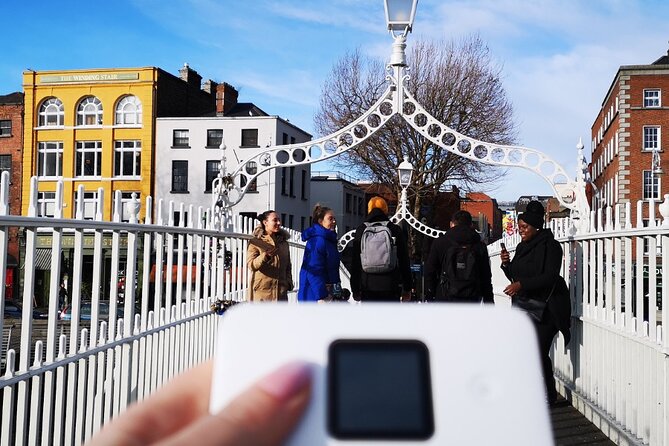
If your trip starts with a delayed flight or a long baggage line, the last thing you want is to spend your first evening figuring out a data plan. This WiFicandy rental is designed for an immediate payoff: you start at Dublin Airport and your goal is to be online quickly after you land.
The meeting point is at Spar, Dublin Rd, Corballis, Dublin Airport, Co. Dublin, Ireland. That matters because it’s part of the airport arrival flow, not a separate transit mission. And since the activity ends back at the meeting point, you can plan on returning the device to the same area when the rental period is over.
What that means for you
You’ll be able to use your phone for maps, ride-hailing, restaurant searches, and messaging without immediately switching SIMs or relying on patchy hotel Wi‑Fi. For anyone traveling with a group, it also means you’re not waiting while one person manages the hotspot setup for the whole crew.
You can also read our reviews of more tours and experiences in Dublin.



A small mindset shift
Treat this like a travel tool, not a gadget you’ll obsess over. As soon as you pick it up, do a quick test: connect one phone, open a web page, and confirm that data is actually working—not just Wi‑Fi signal.
Unlimited Data Across Ireland, the UK, and Europe
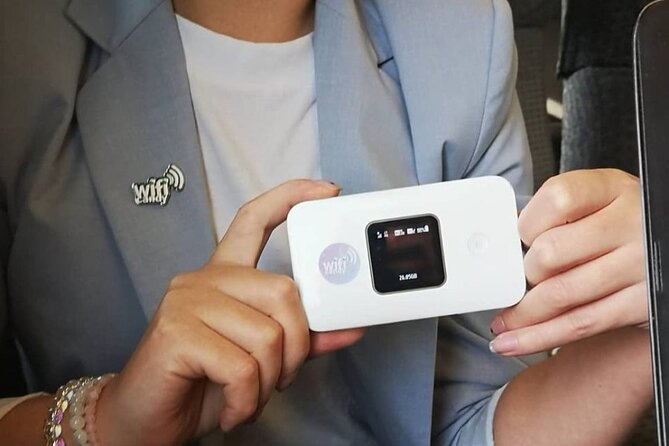
The pitch here is straightforward: unlimited data plans are available anywhere in the Republic of Ireland, the United Kingdom, and Europe. That coverage is a big deal because it reduces the number of decisions you have to make during your trip.
Instead of asking questions like Will I run out? or Do I need to turn on airplane mode? you can plan around experiences. I like that approach for travel, because data limits tend to change how you move and what you look up.
The practical upside: less friction day to day
Unlimited data is most valuable when you’re doing the stuff that eats bandwidth:
- Navigation while you’re walking
- Translating signs on the fly
- Sharing photos and checking plans in real time
- Streaming music for long rides between stops
You’re also less dependent on Wi‑Fi hotspots at cafés and hotels, which can be slow or require logins. And if your schedule changes last minute, you won’t be penalized by a low-data connection.
One thing to keep in mind
The listing mentions fast internet speeds, but real-world speeds can vary by location and network conditions. So I’d still use Wi‑Fi responsibly for heavy downloads, especially if you’re in a crowded area. For everyday browsing, messaging, and mapping, unlimited is the big win.






Up to 8 Users on One Hotspot: Best for Groups

This is where the value can get noticeably better. WiFicandy lets you connect up to 8 users or smart devices at once. That means you can share the connection among friends, family, or a small travel party without passing around one device and hoping nobody’s video call hijacks the bandwidth.
Who this helps most
- Families with multiple phones
- Friends coordinating meetups
- Small groups sharing rides and plans
- Business trips where more than one person needs to stay connected
Even if only two people need internet most of the time, having extra connection headroom is still useful. Someone can join without you reconfiguring everything.
A practical tip for shared use
Agree on roles early. Pick one person to handle the hotspot if anything goes wrong, and let others know to reconnect when needed. That avoids the classic group problem: five people troubleshooting at the same time.
Battery Life: What Up to 12 Hours Means for a Travel Day
The hotspot is listed as having a battery that can last up to 12 hours if fully charged overnight. In plain terms, that’s the difference between a device that works with your itinerary and one that becomes a nightly chore.
For many people, the daily rhythm looks like this:
- Charge overnight while you sleep
- Use throughout the day for navigation and messaging
- Recharge in the evening if you have a late night out or long transit window
What I like about this model
A travel day often includes unpredictable stretches—walking, waiting, changing plans, and rerouting. Long battery life makes the device feel reliable instead of fragile. If you’re the type who hates being stuck tethered to a wall outlet, this is the kind of feature you’ll appreciate.
A small consideration
If you start each day with a half-charged unit, your real runtime may be shorter than the maximum. So I recommend charging it fully the night before you need it most.
Price and Value: Is $106.65 a Smart Deal?
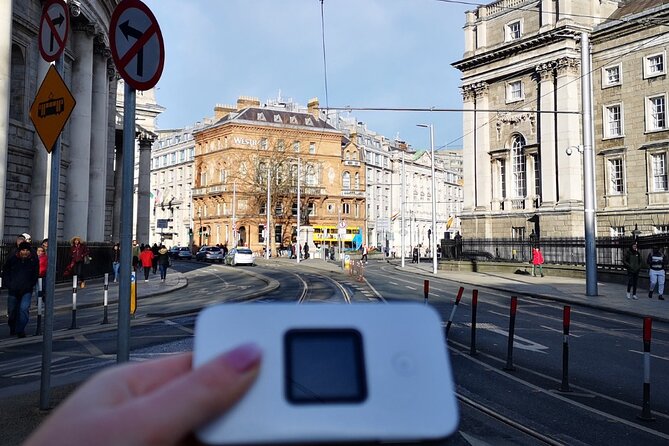
The listed price is $106.65 per person, with rental duration options from 7 to 30 days (approx.). The key for value isn’t just the number; it’s how you’ll use the internet and whether you’re splitting the cost.
When this tends to be good value
- You’re traveling with others (since you can connect multiple devices)
- You rely on phone data for navigation and logistics
- You’re staying connected across several countries, not just one
- You want simplicity and hate SIM setup
When you might question it
If your group is just one person who will mostly stay on Wi‑Fi, you might spend more than you need. Also, if you only need internet for short bursts, you may prefer a smaller data plan approach. The listing doesn’t provide speed guarantees or usage tiers beyond unlimited data, so your personal needs matter.
My quick decision rule
If you’d normally spend time hunting for Wi‑Fi or buying separate plans, this can be worth it. If your internet needs are light and you’re comfortable with Wi‑Fi hunting, you may not feel the savings.
Getting Set Up: The Test You Should Do Immediately
The description is aimed at making this easy: you pick up the hotspot at Dublin Airport, power it on, and connect to it. That’s the theory. But here’s the important part: in one unhappy case, the hotspot connected to a phone yet didn’t provide internet service, leading to a request for a full refund and difficulty reaching support.
So I treat setup as two steps, not one:
- Connect to the Wi‑Fi network name.
- Confirm you can load a page or use data-based app functions.
If step two fails, don’t wait until you’re halfway across the city. Do the test right away, while you still have energy and time to fix things.
If something feels off
Use the contact information provided through your booking confirmation or mobile ticket materials. The listing includes that confirmation is received at booking, and that should guide you to the right support channel. Keep that info accessible on your phone in case the hotspot isn’t cooperating.
Dublin Airport Handoff: Start at Spar, Return to the Same Point
Your rental begins at Spar, Dublin Rd, Corballis, Dublin Airport, Co. Dublin, Ireland, and it ends back at the meeting point. That setup is convenient because it reduces travel headaches when you finish your trip.
Also, the meeting point is listed as near public transportation. That can help if you need to reposition after pickup or return. If you’re landing and your schedule is tight, being able to move efficiently from that area is a comfort.
What to plan for
Because this is a rental, think of it as part of your logistics, like a transport ticket. When you pick it up, keep the return location in mind so you don’t scramble at the end.
Who Should Book This Wi‑Fi Rental in Dublin?
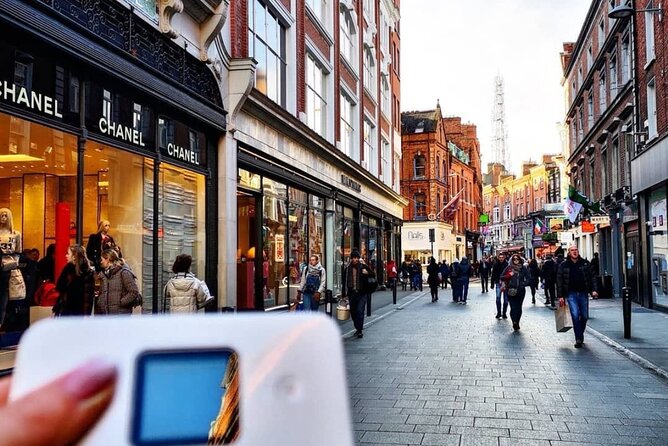
This works best for people who want dependable connectivity without SIM-card stress.
It’s a strong fit if you’re:
- Visiting for leisure or business
- Traveling with friends or family who all need data
- Moving around the Republic of Ireland, the UK, and other European areas
- The type of person who uses your phone for directions constantly
It’s less ideal if:
- You want minimal device management
- You mostly rely on hotel Wi‑Fi
- You’d rather troubleshoot your own data solutions than test a rented hotspot
Accessibility note
The listing says most travelers can participate, but that still doesn’t tell you about every edge case. If you have specific needs, it’s worth checking support details before you commit.
Should You Book WiFicandy in Dublin?
I’d book this if you want a simple, group-friendly way to stay online from the moment you land. The combination of Dublin Airport pickup, unlimited data across Ireland/UK/Europe, and the ability to connect up to 8 devices is the core reason it makes sense, especially when cost-sharing is possible.
I’d be cautious if you hate any chance of tech trouble and can’t handle the first-hour setup test. Because at least one experience reports internet not working even when Wi‑Fi appeared connected, it’s smart to test immediately and keep your support contact handy.
If you’re arriving in Dublin and you know you’ll need reliable phone data, this is a practical choice with strong overall satisfaction.
FAQ
Where do I pick up the WiFi rental in Dublin?
You start at Spar, Dublin Rd, Corballis, Dublin Airport, Co. Dublin, Ireland, and the activity ends back at the same meeting point.
How long can the hotspot battery last?
The battery can last up to 12 hours if fully charged overnight.
Is the data really unlimited?
Yes. The rental is advertised as having unlimited data plans.
How many devices can connect at once?
You can connect up to 8 users or smart devices at once.
Which areas are covered by the unlimited data?
Coverage is listed for the Republic of Ireland, the United Kingdom, and Europe.
How long is the rental period?
It’s listed as 7 to 30 days (approx.), depending on what you choose when booking.
Do I receive a mobile ticket?
Yes, the features mention a mobile ticket.
Is free cancellation available?
Yes. You can cancel for a full refund up to 24 hours in advance of the experience’s start time. Within 24 hours, no refund is listed.